Articles
JS-Screensaver - a privacy curtain for admin apps
A small, zero-dependency JavaScript framework for full-screen browser screensavers.
A few weeks ago I watched a familiar scene: an admin user got pulled away from their desk, and their browser stayed open on a page full of customer data. The OS screen lock would have caught it eventually, if it was enabled, which on that machine it was not. Anyone walking past had a clear view of PII for however long that person was gone.
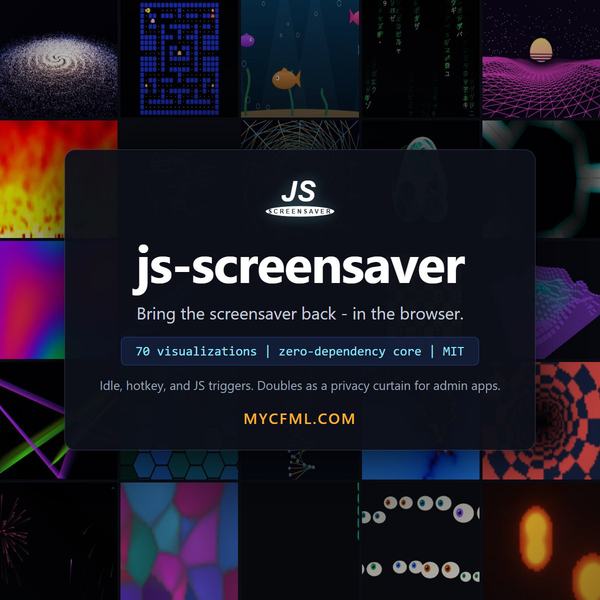
That bugged me enough to build something: js-screensaver, a plain JavaScript framework that brings the old-school screensaver back, in the browser, on top of whatever page is open. After a few minutes of no mouse or keyboard activity, the page gets painted over with a fish tank, or a starfield, or the bouncing DVD logo. A passer-by sees pixels, not a customer record. Any key press brings the page back.
Let me be straight about what this is and is not. It is shoulder-surfing protection, a courtesy curtain. It is not a security control. The data is still in the DOM behind the overlay, and one key press dismisses it. Your screen lock policy is still the real fix. But in the gap between "policy exists" and "policy is actually enforced on every machine," a curtain beats a clear view.
What it does
The core is a single ES module with zero dependencies. It handles idle detection, a toggle hotkey, pause when the tab is hidden, wake lock, fullscreen, and a weighted randomizer. Visualizations are self-registering modules, one file each. Wiring it into a page looks like this:
<script type="module">
    import Screensaver from "./src/screensaver.js";
    import "./src/modules/aquarium.js";
    import "./src/modules/matrix-rain.js";

    Screensaver.configure({ idleTimeout: 3 * 60 * 1000 });
</script>
That is the whole integration. There is no build step. Every module ships defaults and accepts overrides, so Screensaver.start("logo-bounce", { logo: { svg: "/logo.svg" } }) bounces your own logo around instead of the built-in one.
I got carried away on the module count. It ships with 70: the classics (bouncing DVD logo, 3D pipes, flying toasters, Mystify, Matrix rain), a procedural aquarium, fireworks, a Mandelbrot zoom, slime mold simulation, synthwave terrain, a photo slideshow with Ken Burns and transitions, a particle cloud that forms your SVG logo and morphs into the next one, and a self-playing Pac-Man and chess, because at some point the question stops being "should I" and becomes "how hard could it be." (Chess rules come from chess.js; everything else is hand-rolled canvas or three.js.)
The demo page lists all of them in a filterable table with thumbnails, a countdown to the next idle start, and per-module launch buttons.
The CFML part
The dev server is CommandBox, which is also why this works nicely as a drop-in for CFML admin apps. The one server-side piece is a tiny endpoint that feeds the slideshow module: browsers cannot list a directory, so webart/slideshow/index.cfm scans its own folder and returns JSON.
<cfscript>
    imageExtensions = "jpg,jpeg,png,gif,webp,avif";
    diskDir = getDirectoryFromPath(getCurrentTemplatePath());
    webDir = getDirectoryFromPath(cgi.script_name);
    images = [];
    fileNames = directoryList(diskDir, false, "name");
    arraySort(fileNames, "textnocase");
    for (fileName in fileNames) {
        if (listFindNoCase(imageExtensions, listLast(fileName, "."))) {
            arrayAppend(images, webDir & fileName);
        }
    }
    result = [
        "count":  javacast("int", arrayLen(images)),
        "images": images
    ];
    cfcontent(type="application/json; charset=utf-8");
    writeOutput(serializeJSON(result));
</cfscript>
Copy that file into any image folder and the slideshow picks up whatever you drop in there. It runs unchanged on ACF, Lucee, and BoxLang.
The bug that taught me something
My favorite find during this build: I originally made the framework skip its idle auto-start for users with prefers-reduced-motion set, which felt like the respectful accessibility default. Then I tested in Edge on Windows and the screensaver never armed at all.
Turns out Windows maps that media query to Settings > Accessibility > Visual effects > "Animation effects," and plenty of people switch that off just to make the UI feel snappier. My machine included. So my "respectful default" was quietly opting a large chunk of Windows users out of the privacy curtain entirely, which is backwards: those users deserve the curtain as much as anyone.
The fix was to change what the setting means. Reduced motion no longer prevents the screensaver from starting; it narrows the random pick to the calm modules (a drifting clock, the aquarium, slow ocean swells) instead of warp tunnels and lightning strikes. If you build browser UIs and you key behavior off prefers-reduced-motion, check what actually toggles it on Windows. It is on more machines than you think.
Licensing, since someone will ask
Most modules and the core have no dependencies at all. Nine modules use three.js, three use tsParticles, one uses chess.js, all vendored as pinned files so nothing loads from a CDN. That matters for admin apps: pages showing sensitive data should not be making third-party requests. All three libraries are MIT or BSD, full texts ship in the vendor folder, and there is no copyleft anywhere in the project.
The code is on GitHub at https://github.com/JamoCA/js-screensaver with a demo page, a browser-based smoke test, and a module-authoring guide. A new visualization is one file with an init, a frame, and a destroy. If you build one, send it over. I clearly cannot stop adding them.
Live demo. Press Ctrl+Shift+S to toggle a random screensaver, or launch one below. Any key press or mouse movement exits. The Fullscreen checkbox controls whether launches take over the whole screen or stay inside this page.
| Preview | Category | Name | Library | Description |
|---|
Every module has defaults; pass an object to override any of them. This launches the bouncing logo bigger, faster, and in two colors.
Idle. Waiting for a trigger.