Articles
Parsing PDFs into structured data with CFML and OpenDataLoader
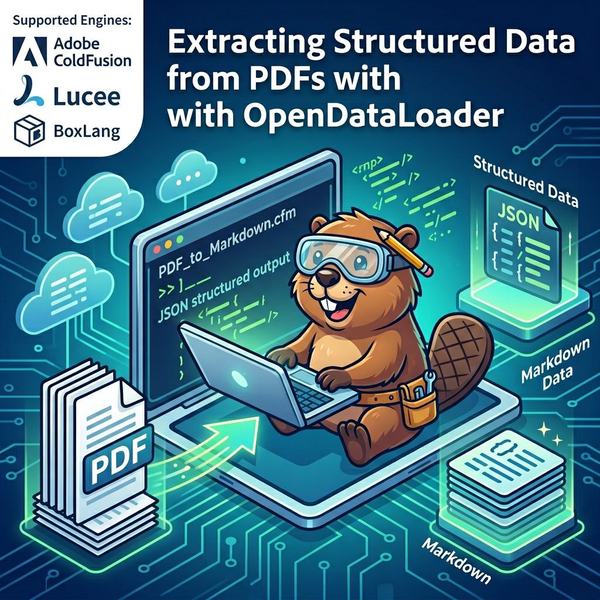
I've spent more time than I'd like to admit fighting with PDF extraction. ColdFusion's built-in cfpdf gets you text, sure, but try pulling structured content out of a multi-column layout or a table-heavy invoice. You end up with jumbled text that needs so much post-processing you wonder why you bothered.
OpenDataLoader is an open source Java library that actually handles this well. It runs locally, no GPU needed, and it parses PDFs into JSON, text, HTML, annotated PDF, and three flavors of Markdown. Since it's a Java JAR, it works with Adobe ColdFusion 2016+, Lucee, and BoxLang — anything that supports createObject("java", ...)... including the command line.
What it does
OpenDataLoader uses an algorithm called XY-Cut++ to figure out reading order in complex layouts. Multi-column pages, nested tables, headers and footers — it sorts through these and extracts content with the structure intact.
The numbers from their docs: 93% table detection accuracy in hybrid mode, OCR for 80+ languages, and about 0.015 seconds per page. It also has built-in filters for hidden text, off-page content, and prompt injection attempts (that last one matters if you're feeding extracted text into LLMs).
Seven output formats: JSON with bounding box coordinates, plain text, HTML, annotated PDF, Markdown, Markdown with HTML tags, and Markdown with embedded images. You can generate several of these in a single call.
Apache 2.0 license.
Where this fits in a CFML app
If you're doing any of this, OpenDataLoader probably saves you time:
- Building a searchable document library from uploaded PDFs
- Prepping content for AI/RAG pipelines (the JSON output includes coordinates for source citations)
- Pulling table data out of invoices and financial statements
- Converting PDF archives to HTML or Markdown for the web
- Generating accessible text alternatives from PDF documents
It works on any CFML engine. I've tested it on ACF 2023 and it ran fine on CF2016 during initial development too.
Setting it up
OpenDataLoader ships as a single fat JAR (~24MB) with all dependencies bundled. No Maven, no dependency trees, just one file.
In Application.cfc, point javaSettings at a directory containing the JAR:
this.javaSettings = {
    loadPaths: [
        getDirectoryFromPath(getCurrentTemplatePath()) & "JARs"
    ],
    loadColdFusionClassPath: true,
    reloadOnChange: false
};
Drop the JAR in, restart the server, done.
Converting a PDF
Here's the basic pattern — create a Config, set your output folder and format flags, then call processFile():
jTrue = javacast("boolean", true);

config = createObject("java", "org.opendataloader.pdf.api.Config").init();
config.setOutputFolder(expandPath("./output/"));
config.setGenerateMarkdown(jTrue);

OpenDataLoaderPDF = createObject("java", "org.opendataloader.pdf.api.OpenDataLoaderPDF");
OpenDataLoaderPDF.processFile(tostring(expandPath("./documents/report.pdf")), config);
Output goes to the folder you specified. Read it back with fileRead().
Watch out: generateJSON defaults to true on the Config object. If you only want Markdown, call config.setGenerateJSON(javacast("boolean", false)) first, otherwise you get a surprise JSON file every time.
Multiple formats in one pass
You can enable several formats on the same Config and process once:
config = createObject("java", "org.opendataloader.pdf.api.Config").init();
config.setOutputFolder(expandPath("./output/"));
config.setGenerateJSON(jTrue);
config.setGenerateHtml(jTrue);

OpenDataLoaderPDF.processFile(tostring(pdfPath), config);
The library parses the PDF once and writes out all the formats you asked for. Much faster than separate conversions.
Page ranges and table detection
Don't need the whole document? Specify pages:
config.setPages("1-5");
You can mix ranges and individual pages: "1,3,5-10".
For table-heavy documents like financial statements, the cluster method tends to do better:
config.setTableMethod("cluster");
Cleaning up on shutdown
OpenDataLoader keeps thread pools alive for performance. You should call shutdown() when your application stops. In CFML, onApplicationEnd is the right place:
public void function onApplicationEnd(struct applicationScope) {
    try {
        createObject("java", "org.opendataloader.pdf.api.OpenDataLoaderPDF").shutdown();
    } catch (any e) {
        // best-effort cleanup
    }
}
Keep your applicationTimeout reasonable. With a 1-minute timeout, onApplicationEnd fires constantly and shutdown() kills the thread pools while they're still in use. An hour is fine for development.
JSON output and source citations
The JSON output includes bounding box coordinates ([x1, y1, x2, y2]) for every text block. Extract the content, send it to an AI model, and when the model cites something, you can map those coordinates back to the exact location in the original PDF. Each claim traces to a specific rectangle on a specific page. If you're building RAG, this is the format to use.
Demo app
I put a working demo on GitHub: JamoCA/cfml-OpenDataLoader-demo
Single-page CFML app. Pick a sample PDF, check the formats you want, hit convert. You get inline results with download links, file sizes, and processing time. For Markdown, there's a "Render as HTML" button powered by markdown-it that opens a preview in a new window.
Defaults to Adobe ColdFusion 2023 via server.json. Swap the cfengine value for Lucee or BoxLang.
To try it:
git clone https://github.com/JamoCA/cfml-OpenDataLoader-demo.git
cd cfml-OpenDataLoader-demo

# Download the JAR
curl -L "https://github.com/opendataloader-project/opendataloader-pdf/releases/download/v2.2.1/opendataloader-pdf-cli-2.2.1.zip" -o JARs/opendataloader-pdf-cli-2.2.1.zip
unzip -o JARs/opendataloader-pdf-cli-2.2.1.zip "opendataloader-pdf-cli-2.2.1.jar" -d JARs/
rm JARs/opendataloader-pdf-cli-2.2.1.zip

box server start
Sample PDFs are included — lorem ipsum, academic papers, a scanned Chinese document, an Italian financial statement, and the PDF/UA accessibility reference suite.