Articles
Expose local CommandBox servers to the internet using NetBird
Using a launcher so I don't have to manually type any flags
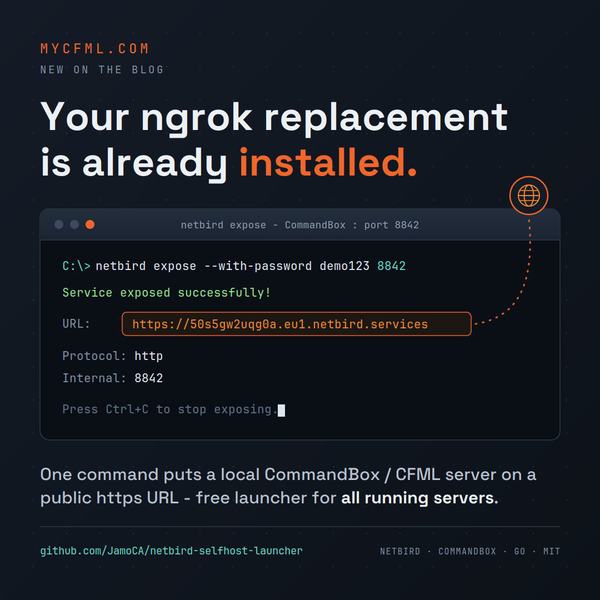
If you already run NetBird, you have an ngrok replacement installed and may not know it. The client has an expose command (added in v0.66; I'm on 0.74.7) that publishes a local port to a public https URL through NetBird's reverse proxy. One command, optional password, and the tunnel dies when you press Ctrl+C.
netbird expose --with-password demo123 8842
Service exposed successfully!
  Name:     50s5gw2uqg0a
  URL:      https://50s5gw2uqg0a.eu1.netbird.services
  Domain:   50s5gw2uqg0a.eu1.netbird.services
  Protocol: http
  Internal: 8842

Press Ctrl+C to stop exposing.
I use it to show work-in-progress CFML sites to clients and to point webhooks at a local Adobe ColdFusion or Lucee server without deploying anything. It also does tcp/udp/tls for things like database tunnels, and the http side supports a PIN or SSO group restrictions instead of a password if that fits better.
Two things to know before you try it. First, an admin has to flip on "Peer Expose" for your NetBird account (dashboard: Settings > Clients > Peer Expose) or you get a permission error. Second, there is no netbird expose list or netbird expose stop. A session is just a running process. Forget one and it stays public until you find it in Task Manager.
The launcher
My dev sites all run under CommandBox, and box server list currently returns 106 server definitions on this machine. That's not hoarding: I unit test my CFML libraries across Adobe ColdFusion 2016 and up, Lucee 5 and up, and BoxLang, and every engine and version combination gets its own server configuration. Exposing one meant looking up the port, typing the flags, and hoping I remembered to Ctrl+C the last tunnel. I got tired of all three, so I built a small Windows terminal app that does it for me.
Start it and it first checks for netbird expose processes that are still running, so leftover tunnels get killed instead of forgotten. Then it reads box server list --json, shows only the servers that are actually running, and prefills a form from the one you pick: port, protocol, password, PIN, custom domain, name prefix, SSO groups. Turn the password on and it defaults to the CommandBox server name. The full command line is previewed at the bottom while you type.
Hit launch and the tunnel opens in its own console window with the URL in it. The launcher can exit; the tunnel keeps running until you close that window. Paths to netbird.exe and box.exe live in a config.json it creates on first run.
It's written in Go, and I built it with Claude Code in an afternoon. The repo includes a full writeup of the expose command in the docs folder.
The one gotcha
The first version opened the new console window and showed nothing. Blank window, working tunnel, no URL. Go's os/exec wires a child's stdout/stderr to the NUL device when you leave them unset, and that overrides the fresh console you asked for with CREATE_NEW_CONSOLE. The fix is one field:
cmd.SysProcAttr = &syscall.SysProcAttr{
	CreationFlags:    windows.CREATE_NEW_CONSOLE,
	NoInheritHandles: true,
}
With NoInheritHandles set, the child uses its new console's own handles and the output shows up where you can read it. One line, one hour.
Pull it down, point config.json at your installs, and if it saves you from one forgotten public tunnel it has paid for itself. MIT licensed.