Articles
cfTOML: a pure CFML parser and emitter for TOML 1.0 and 1.1
TOML turned thirteen this year. The spec is at 1.1 now, there are forty-plus implementations across more than twenty host languages, and toml.io describes the format as "implemented by all popular programming languages."
I went looking on the implementations wiki. Python is there. Rust, Go, JavaScript, Java. C, C++, C#. Ruby, PHP, Swift, Kotlin. PowerShell. Common Lisp. No ColdFusion. Nothing native for CFML at all.
This is the part of CFML life that gets old. You read about a useful spec, scan the support matrix, and your row is missing. Nobody's fault in particular. The community is smaller and the maintained implementations naturally cluster around the bigger languages. But "implemented by all popular programming languages" quietly means "you're going to have to write one if you want it in CFML."
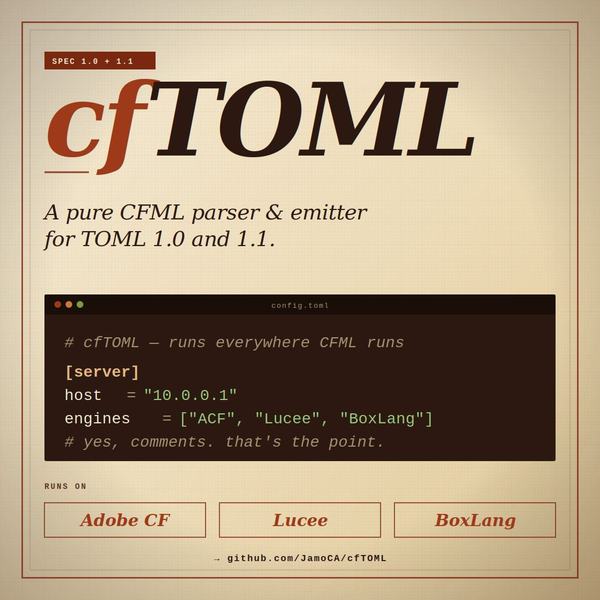
So I wrote one. cfTOML. It parses and emits TOML, runs on Adobe CF 2016 through 2025, Lucee 5+, and BoxLang 1+. One CFC. No JAR drops, no Maven, no dependencies past what the JVM already ships. MIT-licensed.
Source, demo, conformance numbers: https://github.com/JamoCA/cfTOML
CFML is in the "all popular programming languages" list now. That feels good for the moment.
Why TOML
A customer of mine edits an internal app's config by hand. JSON kept tripping them up. Trailing commas, missing braces, no comments to remind them which option does what. YAML is worse if you blink at indentation. INI files are tolerable but every parser handles them slightly differently because the format never had a real spec.
TOML solves most of that. Comments are allowed. The grammar is small. The spec is written down somewhere you can point at. Cargo standardized on it for Rust, Python adopted it for pyproject.toml, and a growing number of tools default to it now. None of that matters in CFML directly, but it does mean TOML is sticking around, which makes a CFML parser worth the time to build.
What it does
parser = new cfTOML();

// Parse
data = parser.tomlDeserialize(fileRead("config.toml"));
writeOutput(data.server.host);

// Emit
toml = parser.tomlSerialize(["server": ["host": "10.0.0.1", "port": 8080]]);
There are four options that are worth knowing before you start.
dateTimeReturn controls how datetime values come back. A CFML date object is ergonomic but cannot cleanly distinguish all four TOML datetime forms (offset, local, date-only, time-only). The alternatives are "iso8601" (the raw RFC 3339 string, lossless) and "javatime" (typed java.time.* objects). Use whichever your downstream code can handle.
int64Mode controls how integers come back. CFML numbers are IEEE 754 doubles, which lose precision above 2^53. If your TOML carries 64-bit IDs or timestamps, you want "javalong" or "string" instead of the default "double".
inlineThreshold collapses small structs to { a = 1, b = 2 } form on emit instead of giving them their own [header] block.
strict accepts or rejects some non-spec extensions like trailing commas. Default is true (strict).
Error types are cfTOML.ParseError, cfTOML.TypeError, cfTOML.DuplicateKeyError, and cfTOML.OverflowError. Each one carries line and column info in the detail struct, so you can hand your config-file editor a useful pointer instead of "something is wrong somewhere."
TOML 1.1.0
The spec went to 1.1.0 in December 2025. Cargo has not adopted it yet, and most files in the wild are still 1.0.0, so the cfTOML default stays 1.0.0. You opt in:
data = parser.tomlDeserialize(content, ["spec": "1.1.0"]);
The 1.1.0 additions cfTOML supports:
- Multi-line inline tables. Newlines and trailing commas inside
{ ... }work. \eescape for the ESC character (U+001B).\xHHescape for any two-digit hex byte.- Optional seconds in datetimes.
07:32means07:32:00. - All-digit bare keys.
1234 = "value"is allowed (the key is still a string).
The thing I had to think hardest about was the emit side. Even when you parse a 1.1.0 document, the emitter defaults to 1.0.0-compatible output. That way you can read a 1.1.0 file, do work on the data, and write something a 1.0.0-only consumer can still read. There are four opt-in knobs (inlineMultiline, useExtendedEscapes, omitZeroSeconds, useBareDigitKeys) for the cases where you want the 1.1.0 syntax in the output too. Set any of them while spec is still "1.0.0" and you get a cfTOML.ConfigError so you cannot accidentally ship output your downstream cannot read.
Conformance
cfTOML runs against the BurntSushi/toml-test corpus for both spec versions. The numbers I care about:
On Adobe CF 2021+:
- TOML 1.0.0: 182/182 valid, 371/371 invalid. Zero runtime errors.
- TOML 1.1.0: 187/187 valid, 361/361 invalid. Zero runtime errors.
On older Adobe CF (2016), Lucee 5/6/7, and BoxLang 1.13:
- TOML 1.0.0: 180/182 valid, 371/371 invalid.
- TOML 1.1.0: 185/187 valid, 361/361 invalid.
The 2-test gap on the second group is the case-sensitive-key tests. Those engines either lack a case-sensitive ordered struct or their implementation breaks dot-notation access, so a key written as section cannot be read back via data.section. The README has the full writeup. Bracket-notation access works regardless.
The unit suite is 634 tests, all passing on every supported engine. Every valid TOML input parses into the correct typed structure; every invalid input is rejected with a cfTOML.* exception.
Try it without installing
There is a demo.cfm in the repo. Clone, start CommandBox, open the page:
git clone https://github.com/JamoCA/cfTOML.git
cd cfTOML
box server start
Then http://localhost:8128/demo.cfm
The demo shows the engine and version it detected, lets you paste TOML or pick a sample to parse, lets you pick a pre-built CFML object (or paste JSON) to serialize, times one conversion, then runs it in a loop for a second to show throughput. There's a spec selector so you can see what changes between 1.0.0 and 1.1.0 on the same input.
On my dev box (Adobe CF 2025), small payloads run a few thousand conversions per second. Parsing is faster than emitting, which is what you would expect.
Cross-engine notes
A few things to know if you write CFML libraries that need to run on more than one engine:
ACF interprets # as an interpolation marker in both single- and double-quoted strings inside cfscript. Lucee does not. Any string containing a literal hash needs ## to portably mean one hash sign. TOML comments start with #, which made embedding a TOML sample in cfscript an annoying first experience on Adobe.
var lt = ... will fail to parse on ACF in some scopes because lt is the less-than word operator. Same with gt. Use different local variable names.
The var keyword can only appear inside a function body. Template-level cfscript cannot use it. If you cfinclude a script file with var declarations, ACF throws.
Lucee returns its CFML date class, ACF returns OleDateTime, BoxLang returns its own DateTime type, and dateTimeFormat() masks read mm as month on Adobe/Lucee but as minute on BoxLang. The cfTOML emitter builds DATETIME_LOCAL strings from component accessors (year(), month(), day(), hour(), minute(), second()) which behave consistently everywhere.
There's a more complete writeup at docs/2026-05-14-cfml-platform-nuances.md in the repo. If you're starting a cross-engine library, it might save you some of the same time it cost me.
Install
cfTOML is a single CFC. The simplest install is to download it from the repo and drop it into your project. The README documents three GitHub-based options (release ZIP, clone, submodule) and a CommandBox ForgeBox install for people who already use it.
The license is MIT. Pull requests are welcome. If you find a TOML file that should parse and doesn't, open an issue with the file attached and I'll take a look.