Articles
Backporting ColdFusion 2025's password hashing API to CF2016, Lucee, and BoxLang
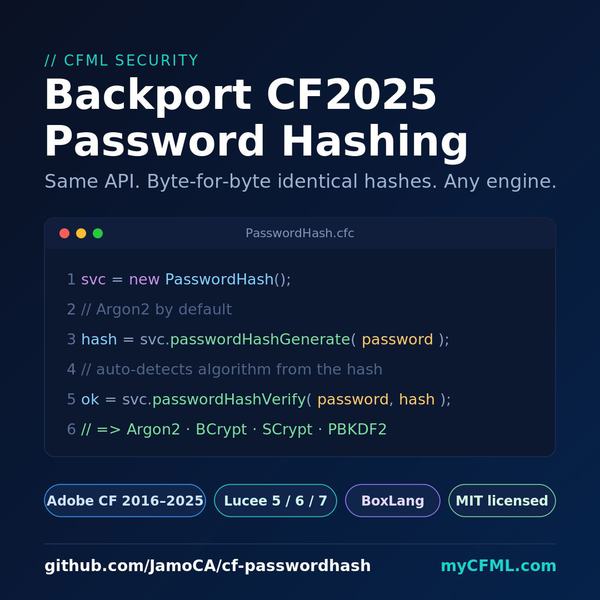
ColdFusion 2025 finally gave us a clean, unified API for hashing passwords: passwordHashGenerate and passwordHashVerify, covering Argon2, BCrypt, and SCrypt. The function signatures are sensible, the defaults are reasonable, and it was a long time coming.
The problem is that the API arrived in CF2025 Update 8 and exists nowhere else. If you run CF2016, 2018, 2021, or 2023 - which most of us do in production - or if you are on Lucee or BoxLang, you do not have these functions. You are still wiring up Java class instantiation by hand, or pulling in a third-party library, or hoping the last developer left a comment explaining what the stored hash format is.
I built a backport - a single shaded JAR plus a thin ColdFusion CFC - that gives you the identical function signatures and identical hash output on any of those engines.
The one promise that matters
The goal was not just "produce Argon2 hashes on old CF." The goal was: write code today using CF2025 syntax, and when you eventually upgrade to CF2025, change nothing. Not the call sites. Not the stored hashes in the database. Nothing.
That meant the hashes had to be byte-for-byte identical to what native CF2025 produces. If you generate a hash with this backport, CF2025's built-in passwordHashVerify must accept it. And if you generate a hash on a real CF2025 server, this library must verify it. Both directions, all three algorithms.
That parity was proven on a live CF2025 2025.0.09 server. All six bidirectional assertions passed.
What you get
One JAR (cf-passwordhash-1.0.0.jar) bundled with Bouncy Castle for the crypto. A CFC (PasswordHash.cfc) that wraps the Java with the same method signatures CF2025 uses. And an optional global shim (include/PasswordHashFunctions.cfm) that lets you call the unqualified CF2025 function names directly on older engines.
The library is MIT-licensed. The bundled Bouncy Castle is also MIT-licensed.
Supported engines (all eleven pass the full test suite):
- Adobe ColdFusion 2016, 2018, 2021, 2023, 2025
- Lucee 5, 6, 7
- BoxLang (native, adobe-compat, lucee-compat)
Using the CFC
Drop the JAR in your lib/ folder, load it via CommandBox libDirs or Application.cfc javaSettings, copy PasswordHash.cfc into your project, and you are ready:
svc = new PasswordHash();

// Generate using the default algorithm (Argon2)
hash = svc.passwordHashGenerate( password );

// Verify - algorithm is auto-detected from the hash prefix
ok = svc.passwordHashVerify( password, hash );

// Specify an algorithm explicitly
hash = svc.passwordHashGenerate( password, "BCrypt" );
ok   = svc.passwordHashVerify( password, hash, "BCrypt" );

// Pass custom options using ordered struct literal syntax
hash = svc.passwordHashGenerate( password, "Argon2", [ "MEMORYCOST": 19456, "CPUCOST": 2 ] );

// Inspect a stored hash
info = svc.passwordHashInfo( hash );
alg  = info[ "ALGORITHM" ];
Using the global shim
If you want to call the unqualified CF2025 function names - so your code is literally identical to what you would write on CF2025 - include the shim once in Application.cfc or at the top of each template:
<cfinclude template="/path/to/include/PasswordHashFunctions.cfm">
Then call the functions exactly as you would on CF2025:
hash = passwordHashGenerate( password );
ok   = passwordHashVerify( password, hash );
info = passwordHashInfo( hash );
One important note: do NOT include the shim on CF2025. It defines functions with the same names as the CF2025 built-ins, which causes a name collision. On CF2025 just call the native functions directly - or use the CFC wrapper, which is safe on all engines including CF2025.
Proving hash parity: the cross-check
Proving the hashes were truly interchangeable required running both directions against a live CF2025 server:
- Generate with the backport, verify with native CF2025 built-ins.
- Generate with native CF2025 built-ins, verify with the backport.
Both directions for Argon2, BCrypt, and SCrypt - six assertions total, all green. The test is in tests/test-native-2025.cfm and runs as part of the normal test suite when the server is CF2025.
As a side note, the benchmarks from that run were interesting. Running 100 Argon2 hashes took 854ms with the backport versus 1079ms with native CF2025 functions. BCrypt (50 hashes) was 2647ms versus 2908ms. SCrypt (100 hashes) was 4475ms versus 4658ms. The backport was marginally faster across the board on CF2025/Java 21. The likely reason is that Bouncy Castle is very well optimized. I would not read too much into the numbers - they are indicative, not benchmarks you should cite - but it is at least reassuring that you are not giving up performance by using the library.
The SCrypt format detective work
Argon2 uses the standard PHC string format and BCrypt uses the standard $2a$ format. Those were straightforward to reverse-engineer from the CF2025 output.
SCrypt was more interesting. The standard PHC format for SCrypt is $scrypt$ln=N,r=R,p=P$salt$hash. CF2025 does not use that. The native CF2025 SCrypt output looks like this:
$e0801$uOO/vJigzcw=$LIAGj1wYJtO4gSCXNE+QRAYZbtbEYsHSxlKHmrI+QY8=
That is the lambdaworks MCF format: $<hexparams>$<saltB64>$<hashB64>. The hex segment packs the cost parameters into a single integer: (log2(N) << 16) | (r << 8) | p. For the CF2025 defaults (N=16384, r=8, p=1), that works out to (14 << 16) | (8 << 8) | 1 = 0xE0801, printed lowercase as e0801.
The salt and hash in SCrypt use standard Base64 WITH padding (the = signs at the end), unlike Argon2 which uses standard Base64 WITHOUT padding. Once that format was pinned down from the discovery output, the backport could match it exactly - and the cross-engine parity assertion confirmed it.
The PBKDF2 addition and legacy migration
CF2025 does not have a native PBKDF2 function, so there is no format to be compatible with. That is actually an opportunity. The backport defines a self-describing PHC-style format for PBKDF2:
$pbkdf2-sha256$i=210000$<saltB64>$<hashB64>
The iteration count is embedded in the hash string, so you always know what was used to produce it. The default of 210,000 iterations follows current OWASP guidance.
The more practically useful piece is legacy verification. Many existing CFML applications store PBKDF2 hashes in the old colon-delimited format that hand-rolled PBKDF2 recipes produced (the widely-copied crackstation implementation is the usual culprit): iterations:salt:hash (SHA1). The backport's passwordHashVerify detects that format automatically and verifies it correctly, without requiring you to know in advance what format a given hash record uses.
This means you can fold your existing PBKDF2 records into the same unified API call - the algorithm auto-detection handles both old and new format transparently - and migrate the records to the new format at your own pace by rehashing on successful login.
One BoxLang gotcha
On BoxLang with the bx-compat-cfml module, CFML struct keys are passed to Java method calls as Key objects rather than plain String objects. The option-parsing layer in the Java code had to account for this explicitly, calling toString() on the key before comparing it. If you are writing a Java extension that accepts ColdFusion structs and want it to run on BoxLang, keep that in mind.
Installation
Choose one method. Using both at the same time double-loads the JAR and causes class conflicts.
CommandBox libDirs (recommended): Copy lib/cf-passwordhash-1.0.0.jar into a folder declared as libDirs in server.json:
{
    "app": {
        "libDirs": "./lib"
    }
}
Application.cfc javaSettings: Copy the JAR into lib/ next to Application.cfc:
this.javaSettings = [
    "loadPaths":               [ expandPath("./lib") ],
    "loadColdFusionClassPath": false,
    "reloadOnChange":          false
];
Links
- Repository: https://github.com/JamoCA/cf-passwordhash
- CF2025 password hashing docs: https://guides.adobe.com/coldfusion/en/docs/introduction-to-coldfusion/__references__/hash-and-verify-passwords-in-coldfusion.html
- Bouncy Castle: https://www.bouncycastle.org/
The library has no runtime dependencies beyond the bundled Bouncy Castle. No CommandBox module to install. No additional configuration. Drop the JAR, include the CFC or the shim, and write the same code you will write when you finally upgrade to CF2025.