Articles
A CFML wrapper for Thumbnailator
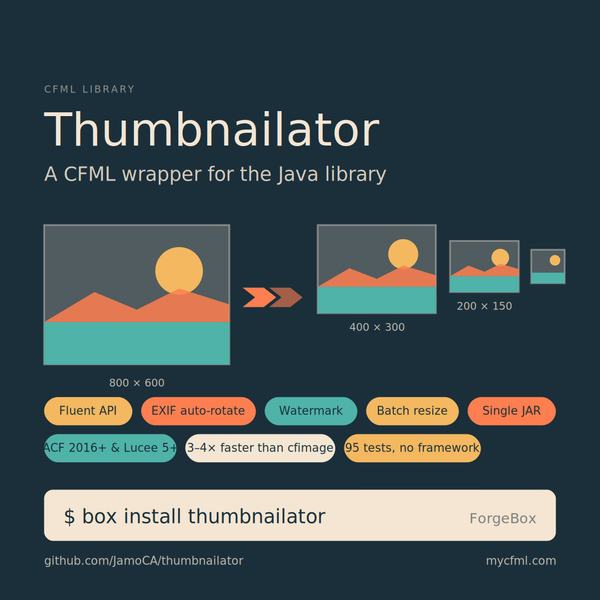
Fluent API; EXIF auto-rotate; watermark; batch resize; single JAR
I had to batch-resize a folder of product photos last week. Most of them needed EXIF auto-rotation, a JPEG quality of about 0.85, and a 400x400 fit-within thumbnail next to the original. In CFML this turns into one of two annoying paths.
Path one: cfimage. It works for the easy cases, but quality control is awkward, you don't get fluent chaining, and there's no clean batch-with-rename. The moment you want to combine "resize, then watermark, then convert to JPEG at quality 0.8, and please respect the EXIF orientation tag while you're at it," you're stitching three or four calls together with intermediate files.
Path two: hand-roll BufferedImage and Graphics2D. This is fine if you write it once and never touch it again. Otherwise you spend twenty lines on what should be one.
Path three: shell out to ImageMagick or GraphicsMagick via cfexecute. Both are genuinely capable, and for bulk processing they're hard to beat. Subprocess startup overhead amortizes nicely when you're chewing through thousands of files in one run, and the underlying engines have decades of optimization behind them. The repo's compare.cfm benchmarks all four side by side, and on the single-transform numbers ImageMagick and GraphicsMagick come in within a hair of Thumbnailator. For a folder-of-fifty-thousand batch job, an external binary is often the right call.
The reason I didn't pick this route as the default is operational, not technical. You need the binary installed on every server that runs the code, and the right version too (ImageMagick 6 vs 7 changes command syntax in a few places). You need filesystem permissions configured for the cfexecute path. You need a deployment story for upgrades. You need integration tests that confirm the binary is where you think it is, and that the version you tested against matches what's actually on the box. For a personal project where you own the box, none of this matters. For a library you hand to someone else, it's a lot to ask them to set up before they can call thumb.resize.
So I wrapped Thumbnailator and put the result on ForgeBox.
Why Thumbnailator
It's a single JAR with no transitive dependencies, MIT-licensed, compiled to Java 8 bytecode, and the API is well thought through. The maintenance has slowed in recent years but the library is feature-complete for what most CFML projects need: resize, scale, crop, rotate, watermark, format conversion, batch processing, EXIF orientation, and a real fluent builder.
For a CFML wrapper, single-JAR with no transitive deps is the win. You drop it in lib/, point your engine at the directory, and you're done.
The shape of the wrapper
I wanted both styles in one CFC. Fluent for jobs that need three or four settings, one-shot helpers for the common case of "shrink this and save it".
Fluent:
thumb = new Thumbnailator();
thumb.of("photo.jpg")
     .size(320, 240)
     .rotate(90)
     .watermark("logo.png", "bottom_right", 0.5, 10)
     .outputFormat("jpg")
     .outputQuality(0.85)
     .toFile("out.jpg");
One-shot:
thumb = new Thumbnailator();
result = thumb.resize("photo.jpg", "out.jpg", 320, 240);
// result.width, result.height, result.sizeBytes, result.durationMs, result.format
Every transform returns a result struct with output dimensions, byte count, format, destination path, and elapsed milliseconds. No ok=false failure path; bad inputs throw a structured Thumbnailator.* exception with the original Java cause attached as the detail.
How it compares to cfimage
The repo ships compare.cfm, which benchmarks the wrapper side by side against cfimage, ImageMagick, and GraphicsMagick. Single-shot numbers from an early Adobe CF 2016 run against an 800x600 starter PNG:
| Operation | Thumbnailator | cfimage |
|---|---|---|
| Resize 320x240, JPEG q=0.85 | 5.7 KB / 87 ms | 5.5 KB / 315 ms |
| Rotate 90 (PNG out) | 19.4 KB / 119 ms | 69.0 KB / 86 ms |
| Convert PNG to JPEG q=0.85 | 21.2 KB / 113 ms | 17.9 KB / 48 ms |
| Inspect (read metadata) | 3.4 ms | 29.6 ms |
A few things jump out. Resize is roughly three to four times faster than cfimage for an output of basically the same size. The rotate row is the one I keep pointing people at: cfimage emits a 69 KB PNG where Thumbnailator emits 19 KB. That's not a small win on a batch of a few thousand files. cfimage's default PNG writer doesn't compress as aggressively as Thumbnailator's, and the difference compounds. Inspect is about ten times faster because Thumbnailator's wrapper goes through javax.imageio.ImageIO directly without decoding the full pixel buffer.
The convert-format row is the case where cfimage wins on wall time. Thumbnailator does a quality-tuned re-encode by default; cfimage's imageWrite is closer to a raw pass-through at the requested quality. If you're converting between formats and not resizing in the same call, cfimage is genuinely faster.
These are single-run snapshots, not a rigorous benchmark. compare.cfm lets you bump iterations and average across runs, and it shows the resulting thumbnails inline so you can spot quality differences instead of only trusting the bytes. The point isn't that Thumbnailator beats cfimage everywhere; it's that the gap can move either way depending on the operation, and the comparison page lets you check before you commit.
The demo page
The demo has three regions on one page. A gallery of preset recipes (resize, forceSize, square crop, rotate, watermark, format convert) where each card shows the source, the result, the dimensions, the file size, the elapsed milliseconds, and a <details> block with the exact CFC code. A sandbox form where you pick a source image, pick an operation, and tweak the inputs. And a result panel that renders the source and result side by side along with the generated CFC snippet, so the form doubles as a learning tool.
The duration and filesize metadata sits next to every image. It's useful for getting a feel for which knobs matter. outputQuality(0.5) vs outputQuality(0.95) on the same source is a five-times difference in bytes, and you don't have to take my word for it.
Things that bit me
The wrapper has to run on Adobe ColdFusion 2016, which is the engine I keep getting paid to maintain. CF 2016 has some sharp edges that modern CF and Lucee have smoothed over:
directoryCreate(path, true)doesn't take a recursive flag. You have to walk up and create parents yourself.Thumbnails.of(File[])is ambiguous to ACF's method-overload resolver when the array element type isn't pinned down. The wrapper converts each path to ajava.io.Fileand uses the varargs form instead.[:]for an empty struct literal is Lucee-only. ACF wantsstructNew("ordered")or["foo": 1]for ordered.- You can't assign into a Java
byte[]via bracket subscript. The EXIF-orientation test fixture builds bytes viaArrays.copyOfandByteBuffer.put.
BoxLang 1.13 has a separate problem: a Java method dispatch bug around double and float primitive arguments. Any Thumbnailator call that takes a primitive double (scale, rotate, outputQuality, watermark opacity) fails on dispatch. 51 of the 95 tests pass on BoxLang; the rest are blocked on that. The wrapper code itself is BoxLang-aware where it could be, but this one is below the CFML layer.
Adobe CF 2016+ and Lucee 5+ run the full suite clean.
Tests with no framework
I didn't want a TestBox dependency for this. The tests are plain .cfm files with one assert(condition, label) helper and an assertThrows(closure, typeMatch, label). You hit /tests/index.cfm and read PASS/FAIL lines down the page. If anything fails, the response returns HTTP 500 so CI doesn't need to parse HTML.
Total: 95 assertions across 8 test files, runs in a few seconds. The EXIF orientation test was the one fiddly piece: it builds a JPEG fixture in code with a hand-written APP1/EXIF segment so the test stays hermetic and doesn't ship a binary fixture file. That code is uglier than I'd like but it works on all three engines.
Install
box install thumbnailator
Or grab the repo: https://github.com/JamoCA/thumbnailator. ForgeBox slug is thumbnailator. The bundled JAR lives at lib/thumbnailator/ and loads via Application.cfc by default, or via the THUMBNAILATOR_JAR_PATH env var if you want to share a single JAR across multiple apps.
The demo is the fastest way to see what it does. box server start and open /demo.cfm.